⭐️ New Features

Check out what’s new with GovLink!
⭐️ New white out feature!
- GovLink’s new white out tool gives users an easy way to cover text and add updated wording directly in the document. It’s one more feature designed to make document preparation more flexible and efficient. Check it out below!
- Locate the white out tool on the far right of the the top menu in the document edit modal.
- Place and resize the white out box on the document much like the redaction feature.
- A text box can then be placed on top of the white box.
- Additionally, a white or colored background can be applied to the text box itself.
⭐️ New Filing Category Column and Filter
- The dashboard now includes a Filing Category column, giving users a clearer view of what type of filing they’re looking at without opening each one. Even better, the new Filing Category filter makes it easy to narrow the dashboard to the filings that matter most.
⭐️ Move documents between Filing and Supporting
- Documents can now be moved between the Filings step and the Supporting step without having to delete and re-upload them, making it much easier to fix placement, clean up your filing, and keep things moving. Simply click the ellipses (…) next to the document you wish to move to access the MOVE TO feature.
⭐️ Spell check is here!
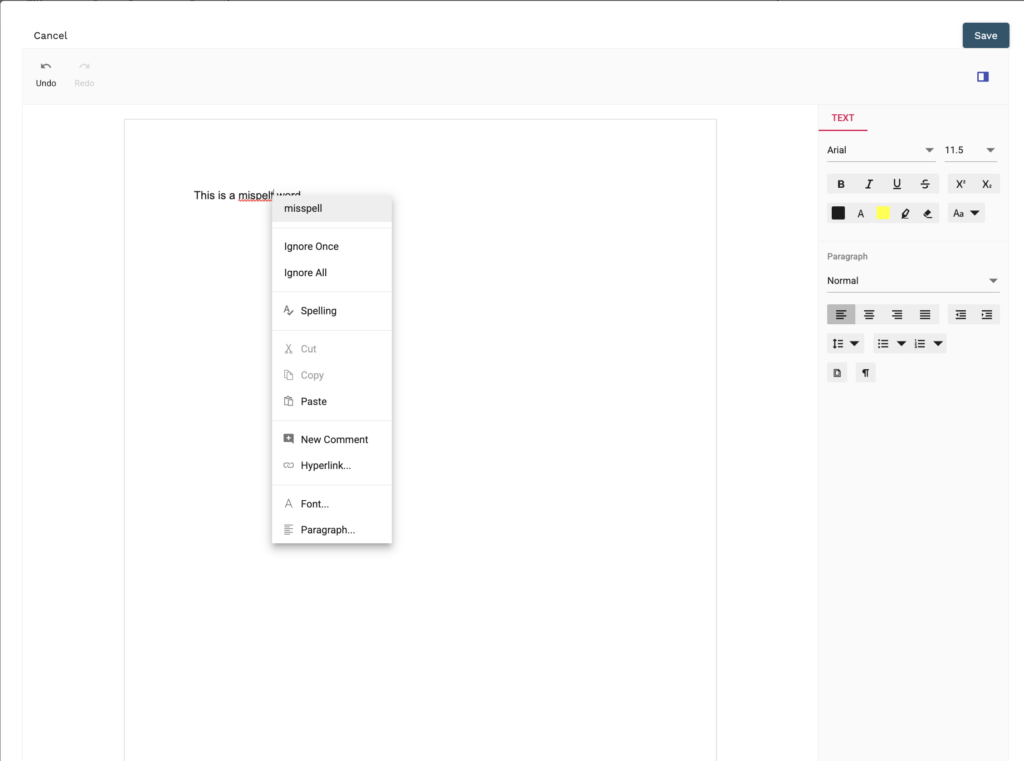
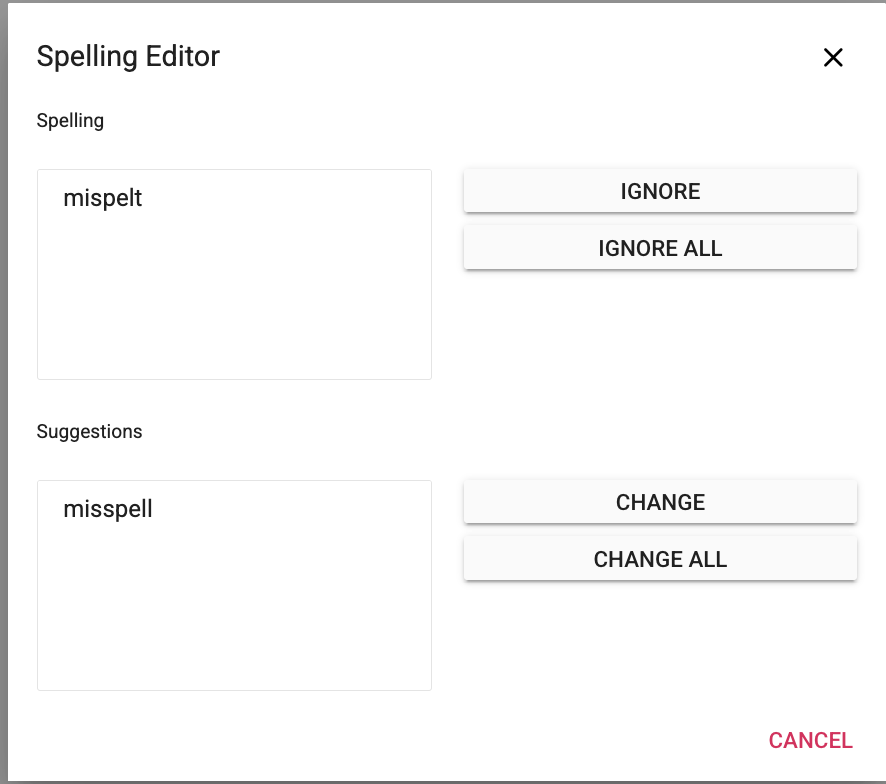
- We’re excited to introduce spell check in GovLink. This new feature helps users catch spelling errors as they work, making document preparation a little smoother and a lot more reassuring. Spell check can be accessed by right clicking any red underlined word for spelling suggestions or to access the spell check modal.
⭐️ Edit file names after uploading!
- GovLink now allows users to edit a document’s file name after upload, making it easier to correct or refine file names before moving forward. It’s a simple enhancement that gives users more flexibility and control during document preparation. Simply click on the file name to easily edit!
⭐️ Search results will no longer reset after viewing a case or filing
- GovLink now remembers your search results after you view a case or filing, so they’ll still be waiting for you when you return. This long-awaited update makes searching a whole lot less repetitive! In other words, your search can finally stop disappearing like a magic trick nobody asked for.
