How to Delete a Document
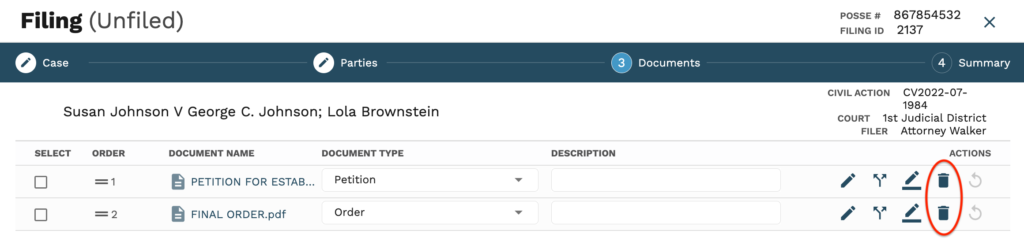
1. Click the Delete icon to delete an unfiled document.
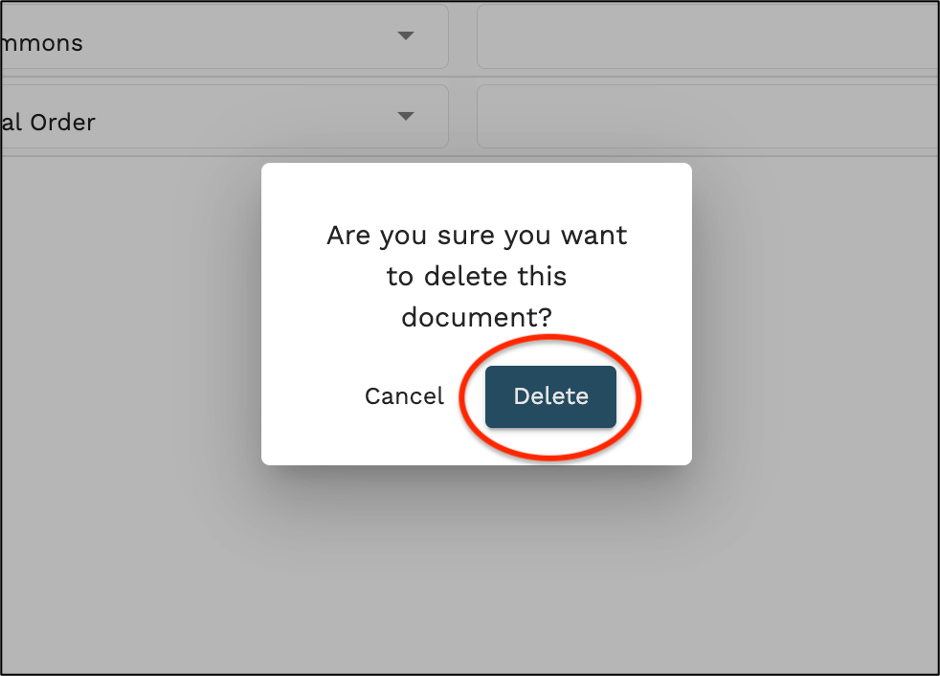
2. Click ‘Delete’ in the pop up if you are sure you want to delete this document.
*Note: A signed document cannot be deleted and will have to be reworked.
1. Click the Delete icon to delete an unfiled document.
2. Click ‘Delete’ in the pop up if you are sure you want to delete this document.
*Note: A signed document cannot be deleted and will have to be reworked.
