Removing Rejected Referral From Dashboard
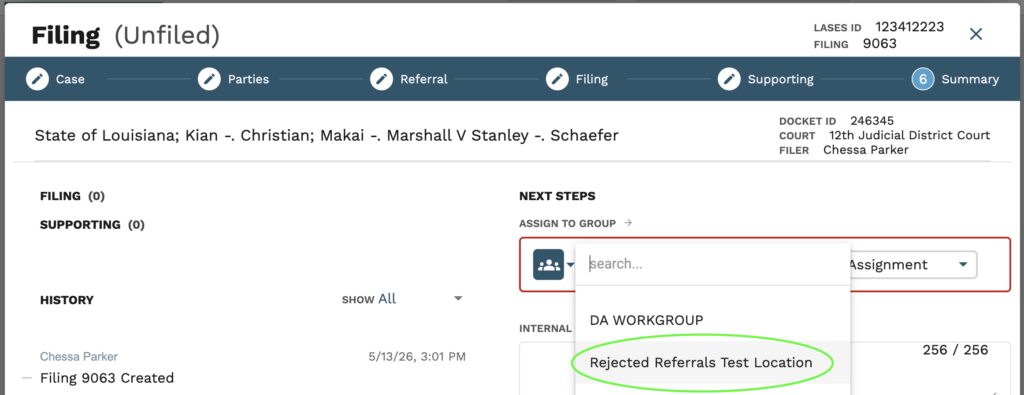
If a rejected referral needs to be removed from your dashboard without being reworked, the filing will need to be assigned to the Rejected Referral Workgroup designated for your location. The workgroup is titled “Rejected Referrals” and will be followed by the location your filing is under.
1. Users will need to be on step 6 of the filing stepper, the ‘Summary’ step.

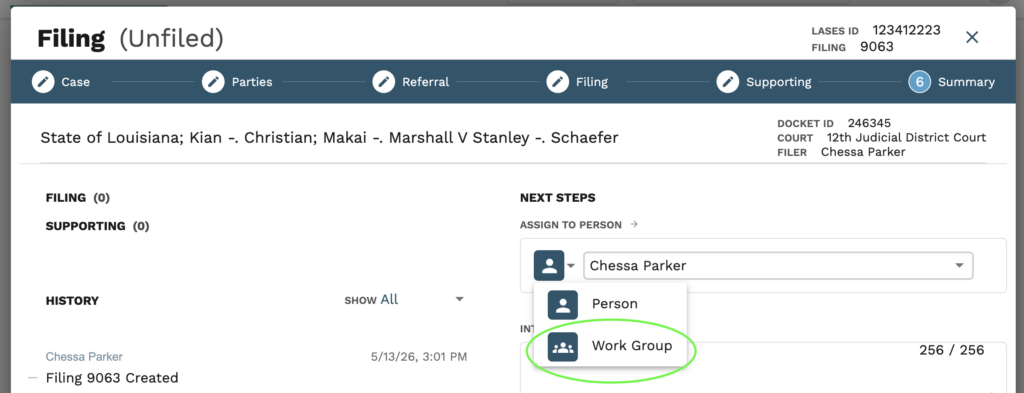
2. Within the “Next Steps’ section, under Assigned to Person, click the single person icon and select ‘Work Group’ from the drop down.
3. Users must select the Rejected Referrals work group from the first drop down. There should be multiple “Rejected Referral” work groups, but you will select the one ending with the location your filing is under. To the right of the work group name, users should select ‘pending assignment’.
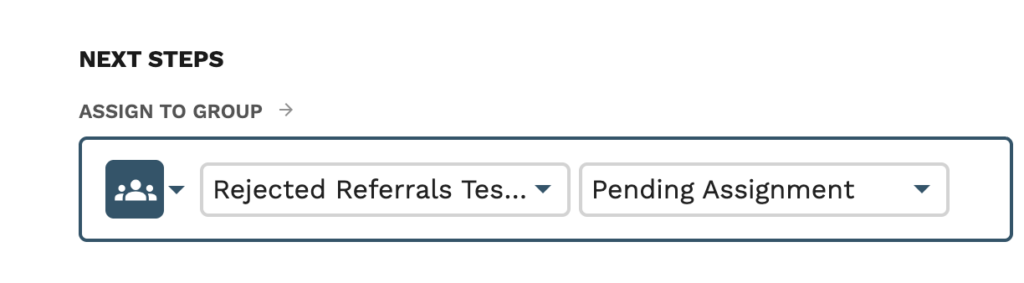
4. After the case has been assigned, click ‘Save’

